
You’ve just made a payment on SBI Collect. Maybe it was for your college semester fees, a recruitment application, or a utility bill. You saw the “Successful” message, breathed a sigh of relief, and then you closed the tab.
Or maybe the page timed out before you could hit print.
Now you’re staring at your screen, wondering if your money is gone or if you’ll ever get that proof of payment you desperately need for your application. We have all been there. The panic is real, especially when you are sitting in a dorm room in the USA trying to pay fees in India, and the bank’s website feels like a maze.
Here is the good news: Your money is safe, and your receipt is not lost.
You don’t need to log in to net banking, and you certainly don’t need to visit a branch. Whether you have your reference number or you have completely lost it, I’m going to show you the exact, fast method to download your SBI Collect receipt PDF right now.
Why Is It So Hard to Find the Receipt?
If you are frustrated, you are not alone. The State Bank of India (SBI) Collect portal is powerful, but it isn’t exactly user-friendly.
Most people expect the receipt to be emailed to them instantly. While SBI does ask for an email ID, the automated receipt often lands in the Spam folder or sometimes doesn’t arrive at all due to server loads.
Furthermore, the “Print” button on the final screen is often blocked by pop-up blockers on browsers like Chrome or Safari. So, you click it, the screen blinks, and nothing happens. You assume it failed, but the digital record exists on their server you just need to know the “backdoor” to access it.
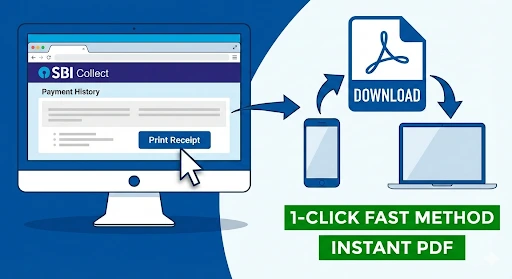
The “1-Click” Fast Method (Featured Snippet)
If you have your DU Reference Number (it starts with “DU” followed by numbers, sent to your mobile via SMS), this is the fastest way to get your PDF.
Follow these exact steps:
- Go to the official SBI Collect Portal.
- Scroll down and click the “SBI Collect” logo or proceed to the main page.
- Look for the Hamburger Menu (three lines) or the top menu bar and select “Payment History”.
- Select the option: “Enter the DU Reference Number”.
- Type your DU Reference Number and your Date of Birth (DOB) or Mobile Number.
- Enter the Captcha code and hit “Go”.
- You will see your transaction details. Click “Print” and choose “Save as PDF”.
Pro Tip: If you are on a mobile device, the “Print” button might not open a printer dialog. Instead, it will open a preview. Look for the “Share” icon or “Save to Files” to keep the PDF on your phone.
Method 2: How to Download Receipt Without DU Reference Number
This is the most common problem I see. You made the payment, but you didn’t get the SMS, or you accidentally deleted it. Now you don’t have the “DU” number.
Can you still get the receipt? Yes.
SBI has a hidden “Date Range” feature that acts as a failsafe.
- Go back to the Payment History page on SBI Collect.
- Instead of the Reference Number option, select the first circle: “Select a date range to view details of previous payments”.
- Enter your Mobile Number (the specific one you entered while making the payment).
- Enter your Date of Birth.
- Select the Start Date and End Date.
- Note: The range cannot exceed 31 days. If you paid last week, just select the last 7 days.
- Click “Go”.
The system will pull up every transaction made with that mobile number in that date range. Find the one you need, click “Print,” and you are done.
Troubleshooting: I Click Print, But Nothing Happens
This is a classic technical glitch that affects about 40% of users, especially those using Chrome or Safari on iPhones and Macs.
You click the blue “Print” button, the screen flickers, and… silence. No download starts.
The Fix: Disable Pop-Up Blockers
The SBI site tries to open the receipt in a new window. Modern browsers block this by default to stop spam.
- On Chrome (Desktop): Look at the right side of the address bar. You will see a small icon with a red “X” or a notification saying “Pop-up blocked.” Click it and select “Always allow pop-ups from https://www.google.com/search?q=onlinesbi.com”.
- On iPhone (Safari): Go to Settings > Safari. Turn OFF the toggle for “Block Pop-ups.”
- On Android: Tap the three dots in Chrome > Settings > Site Settings > Pop-ups and redirects > Allow.
Once you change this setting, refresh the page and click “Print” again. The PDF should generate immediately.
Important Tips for the Indian Audience (and NRIs)
Over the years, I’ve noticed a few specific quirks with SBI Collect that can trip you up.
- The “Pending” Status: If your transaction status says “Pending” immediately after payment, do not pay again. Wait for 45 minutes to 1 hour. SBI servers often take time to sync with the merchant (your college or recruitment board). If you pay twice, getting a refund is a long, headache-inducing process.
- Date of Birth Format: When the portal asks for DOB, it is strictly DD/MM/YYYY. If you type July 10th or 10-07-2024, it will throw an error saying “No Record Found.” Use the calendar picker to be safe.
- Space in Name: Sometimes, if you put a double space in your name while paying, searching with a single space might fail. This is rare, but if “No Record” keeps showing up, try searching by Date Range + Mobile Number instead of name/reference number.
Frequently Asked Questions (FAQ)
1. Is the SBI Collect e-receipt valid for income tax proof?
Yes. The computer-generated e-receipt from SBI Collect is a valid legal document for claiming expenses, HRA, or tuition fees under Section 80C, provided it has the transaction reference number and bank seal (digital) on it.
2. How long is the receipt available for download?
Official guidelines say the data is available for 10 years. However, I highly recommend downloading it and saving it to your Google Drive or email within the same week of payment. Bank portals update systems frequently, and accessing very old data can sometimes be glitchy.
3. I paid via UPI, but the receipt wasn’t generated. What do I do?
If money was deducted from your UPI app (GPay/PhonePe) but SBI Collect showed “Failed,” wait for 24 hours. Usually, the status will auto-update to “Success” in the Payment History section. If it remains failed after 48 hours, the money is automatically refunded to your account.
4. Can I get the receipt from a physical SBI branch?
Technically, yes, but they will likely just tell you to do what I described above. Branch staff use the same portal you do. It saves you time to do it yourself online.
Conclusion: One Last Step
Panic is the enemy of technology. If you can’t find your receipt, it hasn’t vanished into a black hole. It is sitting in the “Payment History” tab waiting for you to claim it.
Go try the “Date Range” method right now.
Even if you don’t need the receipt this very second, download the PDF and email it to yourself with the subject line “Important: SBI Receipt [Month] [Year]”. Your future self stressing out before a deadline will thank you for it.

Sachin is a professional blogger who believes in “Human-First” content. He specializes in breaking down complicated tech and finance topics into simple, actionable steps. His goal is to empower users with the right knowledge to make smarter digital decisions.